
Disconnected business systems rarely begin with a bad decision. Your company adds an accounting platform, a scheduling tool, and a shared spreadsheet. Someone creates a manual process to move information between them. Each addition solves an immediate problem, until employees spend much of their day keeping the pieces connected.
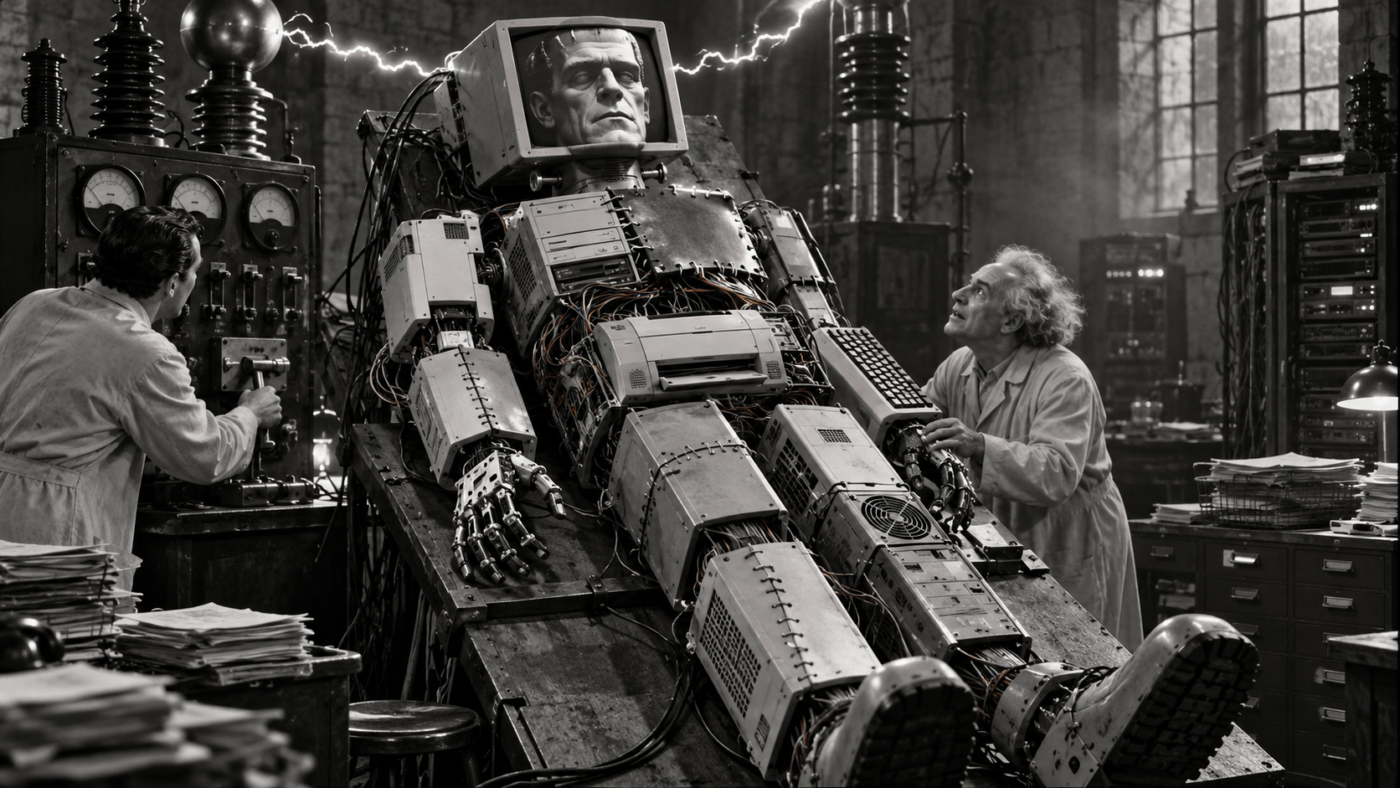
That is how a Frankenstein IT system comes to life. Separate parts are stitched together, and the business finds ways to make them work. Over time, however, the workarounds become harder to explain, maintain, and hand off.
Using different vendors, spreadsheets, or older applications is not inherently a problem. Trouble develops when responsibilities are unclear and information does not move reliably. The question is whether your setup supports the work or creates more of it.
Signs Disconnected Business Systems Are Running the Show
Listen to how employees explain routine tasks. “Enter it here, copy it there, then ask Maria to fix the export” deserves attention. So does a simple task that requires complicated instructions during onboarding. These explanations reveal where people compensate for gaps between tools.
Other warning signs include conflicting customer records, repeated integration failures, and subscriptions with overlapping functions. An integration is a connection that lets applications exchange information or trigger actions. When staff regularly correct those exchanges by hand, the connection needs review.

The Cost of Keeping the Monster Moving
The cost often appears as ordinary administrative work. An office manager checks three records before confirming a delivery address. Accounting waits for someone to explain a spreadsheet before sending invoices. A new employee learns exceptions instead of a consistent process.
Conflicting reports can also slow decisions. Sales may count an order when approved, while operations counts it when scheduled. Those definitions can both be useful, but managers need to understand the difference. Connecting the applications will not automatically resolve disagreement about what the numbers mean.
Hypothetical Example: One Request, Three Records
Consider a fictional service business. Sales records a customer request, then emails the details to scheduling. A coordinator copies them into a calendar and tracking spreadsheet. After completion, billing reenters the information into accounting software.
The customer changes the service address, but only the sales record gets updated. Scheduling still has the original location, and billing receives incomplete completion notes. Employees must reconstruct what happened before finishing the job.
A better process defines where address changes belong and who confirms job completion. A suitable integration could transfer approved details into scheduling and billing. Exceptions would go to a named owner for review. The improvement comes from clear rules and dependable connections, not simply buying one platform.
Where the Stitches Are Starting to Show
Use these observations to start a conversation with employees and IT. They point to questions worth investigating, rather than proving that an application must go.
| What Employees Notice | What May Be Causing It | A Practical First Step |
|---|---|---|
| The same details get entered repeatedly | Information does not transfer between tools | Trace one record through the process |
| Customer records disagree | No agreed source for updates | Decide where each important detail is maintained |
| Only one person can complete an export | An undocumented workaround has become essential | Document it and train a backup |
| Several subscriptions do similar jobs | Departments purchased tools independently | Compare actual usage before renewal |
| Records need correction after syncing | Connection rules or data formats may conflict | Review failures with the integration owner |
| Simple tasks require lengthy instructions | Exceptions have accumulated over time | Observe the task and identify unnecessary steps |
Fix Disconnected Business Systems Without Starting Over
1. Map One Essential Process
Start with something consequential, such as customer onboarding, scheduling, or invoicing. List its applications, spreadsheets, equipment dependencies, and manual steps. Ask employees to demonstrate how information moves, including reentry and corrections. Record what actually happens, not just the approved procedure.
2. Assign Owners and Agree Which Record Is Authoritative
Name a business owner for the process and a maintenance contact for each system and integration. Decide where important information should be updated first. Accounting might own payment status, while scheduling owns appointment dates. Each detail needs an agreed source and rules for resolving disagreements.
These decisions affect configuration. For example, HubSpot’s data-sync documentation describes choosing sync direction and which application takes precedence when values conflict. Those settings need to reflect the business process.
3. Review Overlap and Choose One Bottleneck
Before subscriptions renew, compare their functions, users, and dependencies. Similar products may serve different legitimate needs, so check before canceling anything. Then prioritize one recurring problem, such as rebuilding invoice details every Friday. Record its frequency and correction effort so you can evaluate whether changes help.
4. Choose the Right Kind of Repair
The answer might be a simpler approval process, a repaired integration, fewer tools, or a replacement application. Microsoft’s integration-planning guidance recommends assessing data volume, transfer frequency, direction, and each system’s capabilities. Ask whether the proposed connection handles the information and timing your team needs.
Confirm subscription requirements and ongoing maintenance costs before committing. HubSpot, for example, requires a paid Data Hub subscription for custom field mappings. An advertised integration does not establish that every field, function, or subscription supports your workflow.
5. Test, Document, and Expand Gradually
Test normal transactions and exceptions, including changed details, cancellations, and failed transfers. Microsoft’s reliability-testing guidance recommends performing most testing in test or staging environments. Confirm who investigates failures and how staff continue working if a connection stops.
Document the revised process and train affected employees before expanding it. A gradual plan accommodates migration costs, training needs, and operational dependencies. It also lets you evaluate one improvement before changing another part of the business.
Give Your Creation a Better Plan
Your technology does not need matching labels to work together. It needs connections, responsibilities, and routines that employees can understand and maintain. Before stitching another application onto the monster, examine the work already holding it together.
Is Your Team Holding Your Systems Together?
Contact Onsite Computing to discuss how your business technology fits together. We can help you review your needs and plan practical improvements around your operations and budget.
Frequently Asked Questions About Disconnected Business Systems
It is an informal description of technology assembled through separate purchases and workarounds. The problem is poor coordination between the pieces, rather than simply having several applications.
No. Different products can serve distinct business needs effectively. What matters is whether responsibilities, information sharing, and support arrangements are clear and reliable.
Determine whether the application still meets its core business purpose. Compare connection capabilities, maintenance, licensing, migration, and training costs. Replacement deserves consideration when improving connections would leave major functional gaps.
Often, yes. Clearer ownership, simpler procedures, and targeted connection improvements may address the main bottlenecks. Assess the existing setup before deciding which tools to retain or replace.
Follow one real transaction with the employees who handle it. Document each tool, handoff, and correction, then review the findings with IT. Assign someone to maintain that process documentation.
